Work Setup
How to Find Hotels With a Real Desk and Office Chair
Search tactics, the exact message to send a property, and how to read room photos so you don't end up working from the bed.
Researched from public sources; this does not mean we personally tested the places or services described. Editorial policy
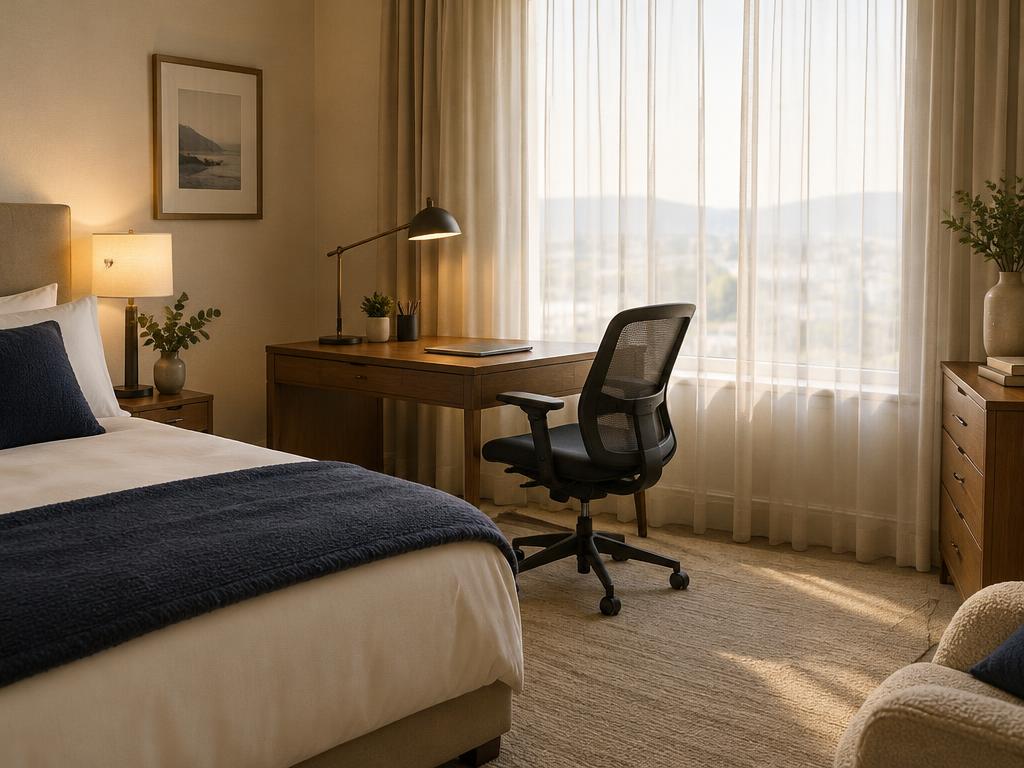
Read room photos like an inspector
- Is the desk deep enough for a laptop plus a monitor (roughly 50 cm/20 in or more)?
- Is the chair adjustable with wheels, or a dining chair?
- Is there an outlet at desk height?
- Is the desk next to a window (glare) or the AC unit (noise)?
Photos often show one room type. Confirm the photo matches the type you're booking.
Message template
Example — illustrative
"Hi — I'm booking [room type] for [dates] and will work remotely on weekdays. Could you confirm whether this room has a desk and an adjustable office chair, and send a photo if possible? Is a wired internet port available? Thank you."
Room types most likely to have a real desk
- Studio and one-bedroom suites at extended-stay brands — these are built for week-plus guests and usually include a dedicated work surface.
- Rooms labeled 'executive' or 'business' at full-service hotels.
- Newer-build properties aimed at business travelers; many leisure-focused redesigns of the past decade removed desks, which is why older reviews can mislead in both directions.
A 20-minute shortlist workflow
- Filter your booking site to suites and extended-stay properties in your target area.
- Open each candidate's photo gallery for the exact room type and apply the photo checks above — eliminate anything without a visible desk and movable chair.
- Search the reviews of the survivors for 'desk', 'work' and 'chair', newest first.
- Send the message template to your top two or three and book the one that answers specifically.
On arrival: two-minute adjustments
- Raise the chair so your forearms sit level with the keyboard; if the chair won't adjust, a folded blanket works as a seat cushion.
- If the desk sits under harsh overhead light or faces a bright window, shift it so the light lands beside the screen rather than behind it.
- Claim the desk outlets before your devices scatter — a travel power strip makes one outlet enough.
If the answer is 'no chair'
Ask whether a chair can be swapped in. Otherwise plan a coworking day pass for heavy days, or bring a laptop stand plus external keyboard to improve posture.
Sources & methodology
We use official agencies and organizations for facts, and label examples and evidence types. We have not run independent speed tests or property inspections for this article.
Related reading
Work Setup
How to Set Up a Temporary Hotel Office
A 30-minute setup routine for an ergonomic, call-ready workspace in a hotel room, using what's there plus a few packable items.
7 min read
Work Setup
How to Check Hotel Wi-Fi Before You Book
The questions, evidence types and red flags for judging a property's internet before booking — plus how to test it in the first ten minutes.
8 min read
Work Setup
Hotel Room With a Desk and Office Chair: Search Tactics That Work
How to reliably find hotel rooms with a real desk and chair: which room types to target, why booking-site filters mislead, review-mining tactics, and the exact message to send a property.
4 min read